PruTAN
 Spec
Spec file defines the structure, fields, and formatting requirements for ISO requests, serving as a blueprint for request creation and validation.
Introduction
- Spec file is a crucial component for an ISO request processing. It defines the expected structure and content of ISO requests, enabling seamless communication between PruTAN and external systems.
- The primary purpose of Spec file is to provide a standardized template for creating ISO requests. It specifies the required fields, data types, lengths, and formats, ensuring consistency and accuracy in request generation.
- Spec file follows a structured format, typically in XML, outlining the details of each field within an ISO request. It includes field id, names, lengths etc.
Create Spec
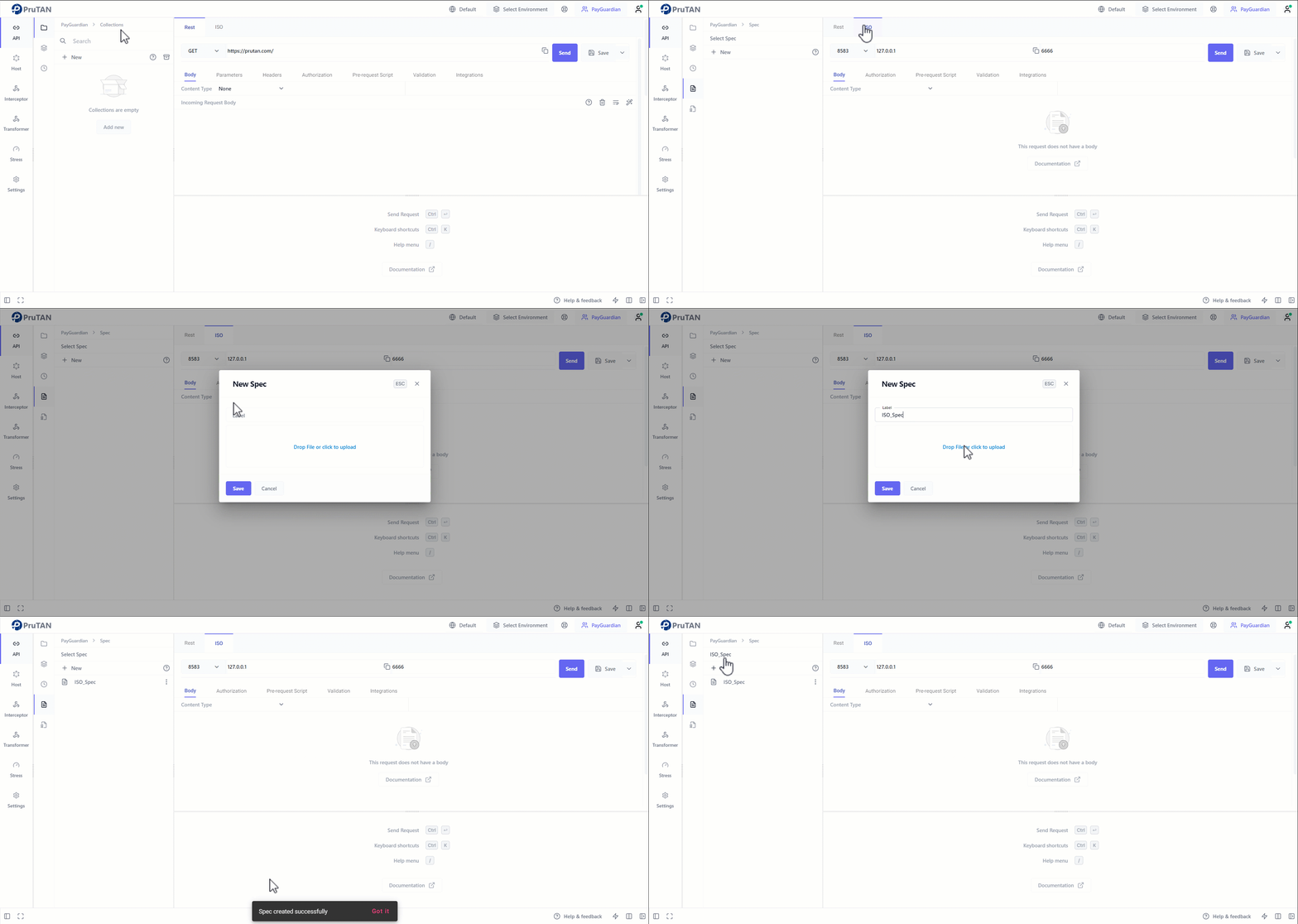
To create a Spec follow below instructions :
- Select ISO format in request component.
- Navigate to
SpecSubmenu. - Click
Newbutton to create a new Spec. - Provide label & upload a valid Spec file and save.
- Select this Spec from dropdown to execute ISO requests.
Spec selection
A spec file must be present to execute an ISO request specific to the request. Here is the steps to select the spec :
- navigate to API module collections submenu.
- Select an ISO request.
- Navigate to
SettingsTab. - From Spec dropdown user can select Spec from created Spec list for the request.
- Spec files plays a vital role in ISO request processing, serving as a blueprint for ISO requests creation, validation, and documentation.
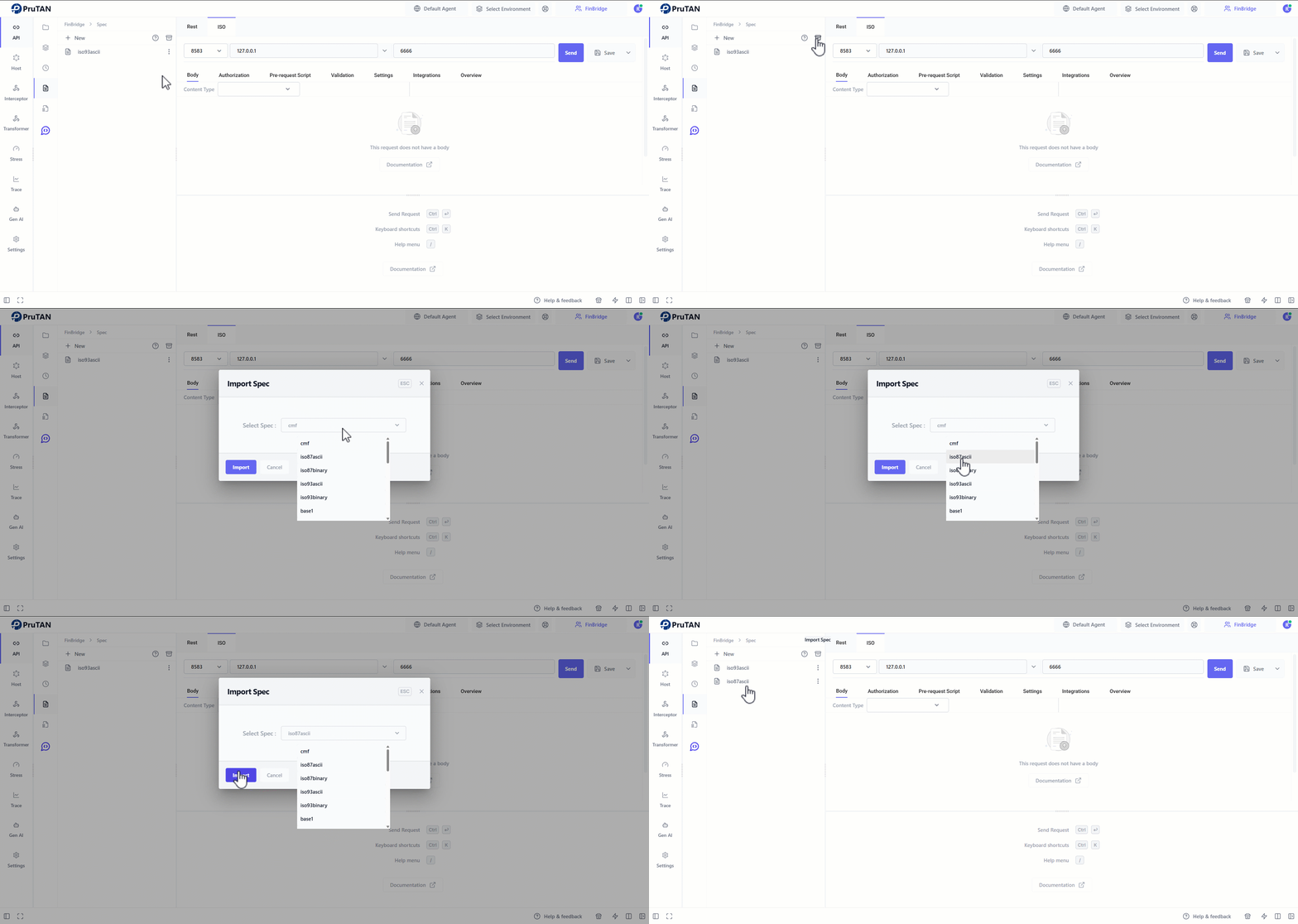
Note : User can also import Spec available in pruTAN's marketplace by following steps
- In Spec submenu click on the Import button and an
Import specdialog box will open. - Select a spec from dropdown and click save.